Few system errors paralyze PC gaming sessions as brutally as `Error Code 0x00000005`. Known in Windows kernel architecture as `STATUS_ACCESS_VIOLATION`, this memory instruction fault triggers when an executable attempts to read, write, or execute a virtual memory address outside its assigned space. In high-overhead open-world titles powered by complex proprietary tech—such as Rockstar Games' RAGE engine—`0x00000005` instantly halts runtime, dropping players straight back to the desktop without saving session progress.
Whether you are troubleshooting launch-day startup panics, managing volatile shader compilation tasks, or prepping your custom gaming rig using the latest
GTA 6 PC System Requirements & SSD Demands guidelines, resolving memory violations requires structured diagnostic protocols. This comprehensive technical guide breaks down the core root causes of `Error Code 0x00000005`, provides step-by-step resolution pathways, and details advanced hardware configurations to keep your system stable across demanding open-world environments.
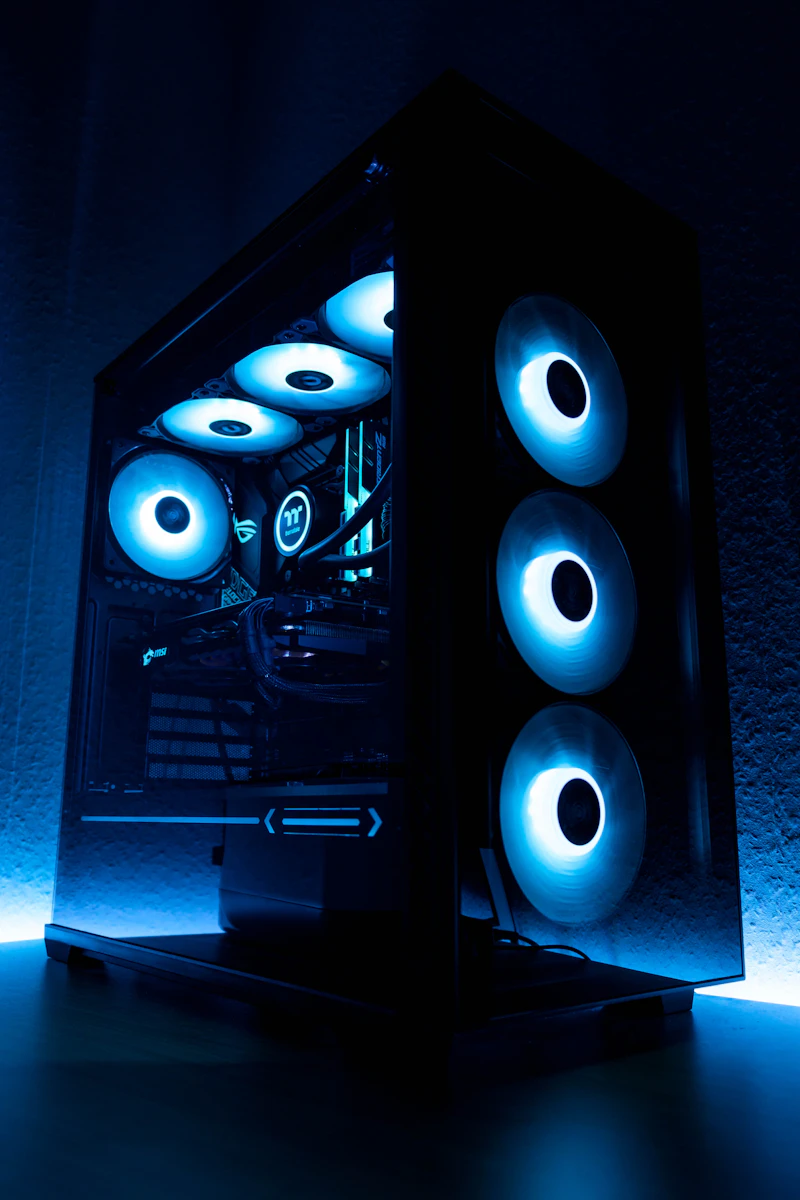
*Memory access violations occur at the hardware-software junction when low-level driver instructions collide with virtual memory allocations.*
---
## Technical Analysis: What Triggers Error Code 0x00000005?
In Windows system architecture, memory code `0x00000005` (or hexadecimal `0xC0000005`) acts as an ironclad safety net managed by the CPU's Memory Management Unit (MMU). When an application requests access to a RAM address that has been dereferenced, protected by Data Execution Prevention (DEP), or already reclaimed by another process thread, the operating system forcibly terminates the application process to prevent memory corruption.
When evaluating open-world performance metrics, six primary technical bottlenecks cause this specific crash vector:
1. **Direct3D 12 Pipeline State Object (PSO) Failure:** Corrupted local shader caches force low-level graphics APIs to call invalid memory pointers during asynchronous compute routines.
2. **System Pagefile Exhaustion:** High-fidelity texture loading across the expansive
Leonida map places heavy demands on system memory. When physical VRAM and RAM fill simultaneously without a dynamic Windows pagefile, memory access requests fault out.
3. **Kernel-Level Anti-Cheat & Permission Collisions:** Modern integrity protection suites run at Ring 0 (Kernel level). If the launcher or game executable runs at Ring 3 (User level) without full administrative write privileges, the security layer restricts memory access, triggering an immediate `0x00000005` violation.
4. **Unstable XMP / EXPO Memory Overclocks:** Sub-millisecond timing errors in DDR4 or DDR5 RAM profiles cause bit flips during real-time asset streaming, invalidating execution threads.
5. **Graphics Driver Injection Hooks:** Third-party hardware monitoring overlays (MSI Afterburner, RivaTuner Statistics Server, Discord Overlay) hook directly into the DirectX 12 render pipeline. Outdated hook libraries frequently attempt invalid memory reads.
6. **Data Execution Prevention (DEP) False Positives:** Security suites misinterpret real-time RAGE Engine executable code generation as malicious code injection attacks, cutting off thread access instantly.
---
## Master System Diagnostic Matrix
Use this diagnostic overview to identify where your crash occurs during execution and apply the corresponding fix sequence:
| Crash Symptom / Timing | Primary Engine Vector | Underlying Hex Failure | Severity Level | Primary Resolution Protocol |
| :--- | :--- | :--- | :--- | :--- |
| **Crash on Launch (Black Screen)** | Administrative Access / DEP Execution | `0xC0000005: EXCEPTION_ACCESS_VIOLATION` | Critical | Run as Admin + Set DEP Exclusions |
| **Crash During Initial Loading Screen** | Pipeline State Object / Shader Cache | `0xC0000005: READ_ADDRESS_0x0` | High | Clear DirectX & GPU Shader Caches |
| **Crash Entering Dense Urban Zones** | VRAM Overflow / Pagefile Depletion | `0xC0000005: WRITE_ADDRESS_FAULT` | High | Expand Pagefile Size & Adjust VRAM Scaling |
| **Random Mid-Game Desktop CTD** | Unstable XMP/EXPO RAM Timings | `0xC0000005: INVALID_INSTRUCTION` | Medium | Disable Hardware Overclocks / Standardize Speeds |
| **Crash Upon Changing Graphics Settings** | Display Driver Hook Collision | `0xC0000005: DEVICE_REMOVED_HUNG` | High | Perform DDU Clean Install & Disable Overlays |
---
## Step-by-Step Fixes for GTA 6 PC Error Code 0x00000005
### Protocol 1: Elevate Administrative Rights and Standardize Executable Permissions
Privilege isolation in Windows 11 frequently prevents low-level process threads from allocating physical RAM pages. Standardizing administrative permissions across all game services eliminates authorization panics.
1. Terminate all Rockstar Games Launcher and game background processes via **Task Manager** (`Ctrl + Shift + Esc`).
2. Open your installation path (e.g., `C:\Program Files\Rockstar Games\...\`).
3. Right-click the primary game executable file (`.exe`), select **Properties**, and navigate to the **Compatibility** tab.
4. Check **Run this program as an administrator**.
5. Click **Change high DPI settings**, check **Override high DPI scaling behavior**, and select **Application**.
6. Repeat steps 3–5 for `Launcher.exe` inside your main Rockstar Games Launcher folder.
>
[PRO-GAMER HACK]: Never run the game executable as Administrator while running your games launcher under a standard user account. Mismatched privilege levels between administrative rings break Inter-Process Communication (IPC), causing the game launcher to drop session tokens mid-run and triggering instantaneous `0x00000005` memory execution faults. Always match permission scopes across all client components.
---
### Protocol 2: Flush DirectX 12 and Driver Shader Caches
Corrupted Direct3D 12 pipeline caches force the graphics renderer to call invalid system memory addresses during real-time asset assembly. Purging these caches forces a clean shader compilation cycle upon your next session launch.

*Purging legacy shader compilation caches resolves pipeline execution panics triggered by DirectX 12 memory leaks.*
#### Clearing NVIDIA Shader Cache:
1. Open **NVIDIA Control Panel** -> **Manage 3D Settings**.
2. Set **Shader Cache Size** to **Disabled**, click **Apply**, and restart your PC.
3. Open Run (`Win + R`), type `%LOCALAPPDATA%\NVIDIA\DXCache`, and press Enter. Select all files and delete them.
4. Open Run again, type `%LOCALAPPDATA%\NVIDIA\GLCache`, and delete all contained contents.
5. Re-open **NVIDIA Control Panel** and restore **Shader Cache Size** to **Driver Default** or **10 GB** for dynamic open-world streaming environments.
#### Clearing AMD Radeon Shader Cache:
1. Open **AMD Software: Adrenalin Edition**.
2. Click the **Settings (Gear Icon)** -> **Graphics** tab -> Expand **Advanced**.
3. Scroll down to **Reset Shader Cache** and click **Perform Reset**.
#### Purging Windows DirectX Shader Cache:
1. Press the Windows Key, type **Disk Cleanup**, and run as Administrator.
2. Select your OS drive (`C:`).
3. Uncheck all items except **DirectX Shader Cache**.
4. Click **OK** to execute a permanent cache purge.
---
### Protocol 3: Expand Windows Virtual Memory Pagefile Allocation
System memory crashes often occur when dense geometry and high-resolution textures exceed physical system VRAM and system RAM simultaneously. Standard Windows dynamic pagefile sizing fails to expand quickly enough during intensive load spikes, resulting in a `WRITE_ADDRESS_FAULT` crash.
>
[ROOKIE MISTAKE TO AVOID]: Disabling the Windows Pagefile entirely because you own 32GB or 64GB of high-speed DDR5 RAM is a major trap. Modern titles built on DirectX 12 map key data structures straight to virtual memory pages regardless of physical RAM capacity. Completely disabling your pagefile guarantees an instant `0x00000005` system crash the moment engine allocation addresses hit virtual limits.
Follow these steps to manually set a static, highly stable paging file size:
1. Press `Win + R`, type `sysdm.cpl`, and hit Enter to open **System Properties**.
2. Navigate to the **Advanced** tab and click **Settings** under the *Performance* section.
3. Switch to the **Advanced** tab inside Performance Options and click **Change** under *Virtual Memory*.
4. Uncheck **Automatically manage paging file size for all drives**.
5. Select your fastest NVMe SSD installation drive.
6. Check **Custom size** and configure the following parameters based on installed RAM:
* **Custom Size for 16 GB Installed RAM:**
* *Initial size:* `16384 MB`
* *Maximum size:* `32768 MB`
* **Custom Size for 32 GB or 64 GB Installed RAM:**
* *Initial size:* `12288 MB`
* *Maximum size:* `24576 MB`
7. Click **Set**, click **OK**, and reboot your PC.
---
### Protocol 4: Rebuild Windows Data Execution Prevention (DEP) Exceptions
Data Execution Prevention monitors hardware execution bounds to block unauthorized code execution. Misconfigured host systems can flag engine memory addresses as threat vectors, instantly shutting down thread executions.
1. Press `Win + R`, type `sysdm.cpl`, and hit Enter.
2. Select **Advanced** -> **Performance Settings** -> **Data Execution Prevention**.
3. Select the option: **Turn on DEP for all programs and services except those I select:**.
4. Click **Add...** and navigate to your main game executable directory.
5. Add the executable file to the exception list.
6. Click **Apply**, hit **OK**, and restart Windows.
---
### Protocol 5: Complete GPU Driver Clean Sweep via Display Driver Uninstaller (DDU)
Leftover registry entries and broken display driver libraries often trigger dynamic memory pointer failures. Standard driver updates overwrite existing driver files without replacing legacy dynamic-link libraries (`.dll`), leading to unstable system performance.
```
[DDU Clean Protocol Sequence]
1. Download DDU (Display Driver Uninstaller) + Latest GPU Driver Package
2. Boot Windows into Safe Mode (Shift + Restart -> Startup Settings -> Option 4)
3. Execute DDU -> Select GPU Type (NVIDIA / AMD / Intel)
4. Select "Clean and Restart"
5. Boot normal Windows -> Install GPU Driver -> Uncheck "GeForce Experience / Adrenalin Overlays"
```
1. Download the latest standalone display driver installer from NVIDIA, AMD, or Intel.
2. Download Wagnardsoft's **Display Driver Uninstaller (DDU)**.
3. Disconnect your ethernet cable / disable Wi-Fi to prevent Windows Update from installing generic drivers automatically.
4. Hold `Shift` while clicking **Restart** in the Windows Start Menu to launch Advanced Startup Options.
5. Select **Troubleshoot** -> **Advanced Options** -> **Startup Settings** -> **Restart**. Press `4` or `F4` to enter **Safe Mode**.
6. Launch DDU, select **Device Type: GPU**, select your hardware vendor, and click **Clean and restart**.
7. Once Windows reboots normally, install your downloaded GPU package using the **Custom / Clean Install** option. Avoid installing optional overlay tools during setup.
---
### Protocol 6: Stabilize Hardware Memory Profiles (XMP/EXPO & System Clock Offsets)
High-end games put extreme load on system memory controllers. Subtle timing faults in Extreme Memory Profiles (XMP on Intel platforms, EXPO on AMD platforms) cause unexpected bit flips during high-speed asset streaming.

*Fine-tuning system memory profiles eliminates hidden hardware stability issues that lead to persistent memory errors.*
#### Testing Memory Stability:
1. Reboot your PC and press `Delete` or `F2` to enter motherboard BIOS settings.
2. Locate **XMP** (Intel) or **EXPO / DOCP** (AMD) profiles and switch the mode to **Disabled** (Standard JEDEC base clock frequencies, such as 2133MHz / 4800MHz).
3. Save changes and boot back into Windows.
4. Test game stability. If crashes stop completely, your original RAM profile lacked sufficient voltage or featured unstable sub-timings.
5. To maintain performance without sacrificing stability, re-enable XMP/EXPO in BIOS and manually bump system memory voltage (e.g., VDD/VDDQ) up by `+0.01V` to `+0.02V` within safe manufacturer parameters, or reduce frequency by one step (e.g., down from 6000MHz to 5800MHz).
#### Addressing GPU Factory Overclocks:
1. Download **MSI Afterburner**.
2. Reduce **Core Clock (MHz)** by `-50 MHz` to `-100 MHz`.
3. Reduce **Memory Clock (MHz)** by `-100 MHz`.
4. Apply settings and re-test gameplay. Factory overclocked graphics cards frequently hit power limits during complex light mapping passes, throwing invalid memory exceptions when supply voltages dip unexpectedly.
---
## Technical Context: Engine Architecture and Optimization Trends
Understanding how modern game engine pipelines operate helps explain why memory access crashes happen in complex open worlds. Modern multi-threaded graphics rendering relies heavily on unified low-level APIs (DirectX 12 Ultimate and Vulkan). These APIs bypass high-overhead driver abstraction layers to communicate straight to hardware, granting game engines direct control over VRAM allocation, pipeline state object (PSO) compilation, and asynchronous compute queues.
When evaluating how memory handling evolved from earlier titles, engine modifications become clear:
```
[RAGE Engine Evolution Pipeline]
GTA V (RAGE 8) ---> RDR 2 (RAGE 8.5) ---> GTA 6 (RAGE 9)
----------------------------------------------------------------------------------
- High-overhead DX11 API - Vulkan / DX12 Integration - Native DX12 Ultimate
- Single-thread VRAM pool - Multi-threaded Async Compute - Dynamic Mesh Shading
- Driver-managed memory - Semi-manual Resource Allocation - Engine-managed Direct Storage
```
As covered in our technical analysis on
Why Is GTA 6 Delayed on PC? Explaining Rockstar’s Controversial Release Strategy, porting titles built around tight console memory specs (like the shared GDDR6 pools in PS5 and Xbox Series X) over to complex PC architectures demands meticulous system optimization. Console operating systems expose a single unified pool of fast memory. PCs split hardware resources across separate system RAM (DDR4/DDR5) and dedicated graphics VRAM (GDDR6/X), connected across PCI Express buses.
When high-density zones—such as downtown Vice City or complex shipping port facilities—stream hundreds of high-resolution asset files into memory at once, any transfer delay between PC RAM and GPU VRAM can cause thread timeouts. If a background render thread requests texture data from an unallocated or cleared memory address, the operating system intervenes immediately with an `0x00000005` exception crash to keep your system safe.
---
## System File Integrity and Windows Environment Repair
If initial setup fixes do not resolve persistent launch crashes, underlying Windows system files or C++ Runtime assemblies may be corrupted. Use these native system tools to repair corrupted execution dependencies:
### Executing SFC and DISM Integrity Sweeps
1. Press the Windows Key, type `cmd`, right-click **Command Prompt**, and select **Run as Administrator**.
2. Execute the following deployment image cleanup command to fix Windows component store corruption:
```cmd
DISM.exe /Online /Cleanup-image /Restorehealth
```
3. Allow execution progress to complete to 100% (this may take 10 to 15 minutes).
4. Run the System File Checker command to repair corrupted OS files:
```cmd
sfc /scannow
```
5. Restart your system after command verification finishes.
### Repairing Visual C++ Redistributable Packages
Corrupted Visual C++ Runtime libraries fail to resolve dynamic pointers, triggering direct access violations across game engines.
1. Open **Settings** -> **Apps** -> **Installed Apps**.
2. Search for **Visual C++**.
3. Select each installed package version (from 2015 through 2022 x86 and x64), click **Modify**, and select **Repair**.
4. If repair options are missing, download the latest unified **Microsoft Visual C++ Redistributable Architecture Bundle** directly from Microsoft's official portal, run setup, and restart your PC.
---
## Frequently Asked Questions (FAQ)
### What does Error Code 0x00000005 mean on PC?
Error Code `0x00000005` (hexadecimal `0xC0000005`) is the official Windows status code for `STATUS_ACCESS_VIOLATION`. It occurs whenever an application thread attempts to read, write, or execute a memory address to which it lacks proper access privileges or where no valid physical memory is allocated.
### Why does GTA 6 crash with Error 0x00000005 specifically on startup?
Startup crashes under code `0x00000005` typically point to administrative permission issues between game clients, corrupted DirectX 12 pipeline state object (PSO) caches, anti-cheat service collisions, or missing Microsoft Visual C++ redistributables preventing initialization.
### Can unstable XMP/EXPO RAM profiles cause memory access crashes?
Yes. Modern open-world game engines push memory bandwidth limits hard. Unstable system RAM overclocks (XMP for Intel, EXPO for AMD) cause microscopic bit flips during multi-threaded data transfers, creating invalid memory pointers that instantly trigger `0x00000005` crash exceptions.
### Should I disable Data Execution Prevention (DEP) to fix this crash?
No, never disable DEP system-wide. Disabling DEP compromises core operating system security and leaves your system vulnerable to real exploit attacks. Instead, set explicit administrative permissions or configure targeted DEP exclusions for verified game executables.
### Why does clearing the DirectX Shader Cache fix memory access crashes?
DirectX 12 pre-compiles game shaders into local cash files stored on your OS drive. If a shader file becomes corrupted during a crash or driver update, the game engine will call invalid memory pointers when trying to read that broken file. Clearing the cache forces the system to compile fresh, healthy shader files.
### Does setting a static Windows pagefile really stop mid-game crashes?
Yes. Dynamic pagefiles often fail to resize quickly enough during sudden VRAM and RAM allocation spikes. Configuring a fixed static pagefile on a high-speed NVMe SSD gives the operating system guaranteed virtual address space, keeping heavy memory loads stable across long play sessions.
---