### Quick Answer
> Will GTA 6 need 32 GB RAM? Based on Rockstar’s RAGE 9 engine demands, massive Vice City asset streaming, and console memory architectures, a 32 GB RAM setup on PC will likely become the recommended standard to eliminate stuttering during high-speed transit across Leonida.
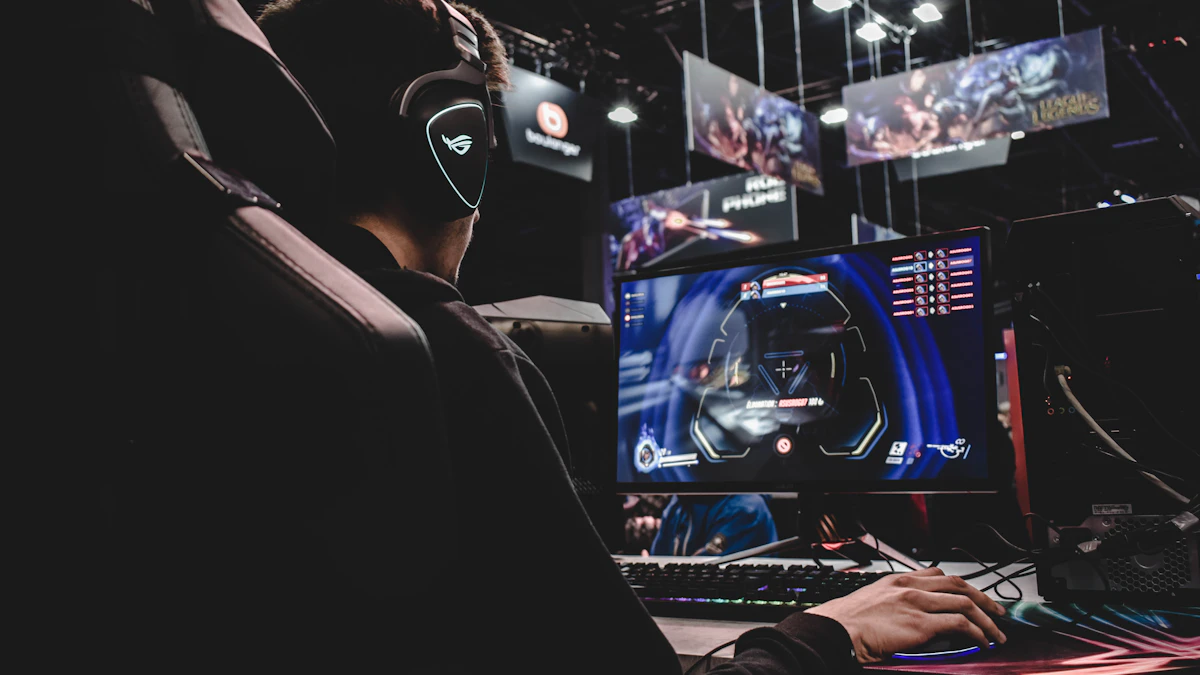
*Analyzing hardware requirements for Rockstar's next open-world milestone.*
| System Component | Minimum Spec Prediction | Recommended Spec Prediction | High-End Enthusiast Tier |
| :--- | :--- | :--- | :--- |
| **System RAM** | 16 GB DDR4 / DDR5 | **32 GB DDR5** | 64 GB DDR5 |
| **Video RAM (VRAM)** | 8 GB (RTX 3060 / RX 6700 XT) | **12 GB to 16 GB** (RTX 4080 / RX 7900 XT) | 24 GB+ (RTX 4090 / RTX 5090) |
| **Storage Type** | NVMe PCIe 4.0 SSD | **NVMe PCIe 4.0 / 5.0 SSD** | Gen 5 NVMe (DirectStorage Optimized) |
| **Target Resolution** | 1080p (Low/Medium Settings) | **1440p / 4K (High Settings)** | Native 4K / Ray Tracing Maxed |
1. **Verify VRAM Allocation Pools:** Modern open-world titles stream thousands of distinct asset textures, making 12GB of VRAM the baseline floor to avoid catastrophic frame drops.
2. **Monitor Page File Swapping:** Watch for disk usage spikes on mechanical drives or slower SATA SSDs, which confirm your system RAM is insufficient for the RAGE 9 streaming budget.
3. **Upgrade Storage Infrastructure:** Ensure the game is installed directly onto a high-speed NVMe solid-state drive to leverage direct memory asset decompression.
4. **Tune Frame Rate Targets:** Balance your graphics presets, prioritizing texture quality and shadow resolution over raw ray-tracing ray counts if your memory capacity sits at 16GB.
---
The hardware discourse surrounding Rockstar Games' upcoming opus has reached a fever pitch. Gamers across the United States, United Kingdom, and Europe are scrutinizing every frame of promotional footage, wondering how their rigs will handle the sprawling state of Leonida. A recurring question dominates PC hardware forums and Discord servers: **Will GTA 6 need 32 GB RAM** to run smoothly without stuttering?
To answer this accurately, we must break down the technical leap of the RAGE 9 engine, analyze how modern consoles manage their unified memory pools, and evaluate the stark realities of texture streaming in dense urban environments like Vice City.

*PC hardware must evolve to handle aggressive asset streaming and complex physics calculations.*
---
## The RAGE 9 Engine Evolution: Why Memory Budgets Have Exploded
The Rockstar Advanced Game Engine (RAGE) has powered the studio's releases since *Table Tennis* and *GTA IV*. However, the iteration powering Lucia and Jason's criminal exploits—RAGE 9—represents a paradigm shift. Physics simulations, global illumination passes, volumetric cloud densities, and non-player character (NPC) behavioral AI routines consume unprecedented system resources.
In previous generations, developers relied on clever occlusion culling and aggressive level-of-detail (LOD) swapping to hide memory limitations. RAGE 9 introduces dynamic physics across thousands of independent entities, vehicles, and destructible environmental elements simultaneously. When driving a high-performance sports car down Ocean Drive at top speed, the game engine must stream geometry, high-resolution PBR (Physically Based Rendering) textures, and complex audio channels into memory instantaneously.
If you are wondering whether your current setup will survive this transition, you should review our detailed analysis on
Will GTA 6 Be 300 GB? Storage Requirements, SSD Demands & Leonida Map Download Size Explained, which covers the physical footprint these assets leave on your storage drives. Furthermore, understanding the broader hardware ecosystem is vital, especially if you are weighing console limitations against desktop upgrades. Many players are actively comparing console optimization limits against PC potential, as detailed in our breakdown of
Is GTA 6 Capped to 30 FPS? Console Performance Limits, Ray Tracing & Frame Rate Caps Explained.
---
## Console Unified Memory Architecture (UMA) and PC Translation
To understand PC RAM requirements, we must examine the target hardware: the PlayStation 5, Xbox Series X, and Xbox Series S.
- **PlayStation 5:** Features 16 GB of GDDR6 memory with a 256-bit interface, yielding a bandwidth of 448 GB/s shared between the CPU and GPU.
- **Xbox Series X:** Features 16 GB of GDDR6 memory, split into 10 GB at 560 GB/s and 6 GB at 336 GB/s.
- **Xbox Series S:** Features 10 GB of GDDR6 memory with a narrower bandwidth profile, restricting its ability to handle ultra-high-resolution texture packs.
Console developers allocate this unified pool dynamically. Roughly 12.5 GB to 13.5 GB is typically dedicated strictly to game assets, graphics, and system overhead. When Rockstar ports this engine to PC, the overhead changes. Windows background services, anti-cheat kernels, recording software, and OS telemetry consume 4 GB to 6 GB of RAM independently.
Therefore, a PC running the game at settings equivalent to (or exceeding) current-gen consoles will instantly demand 16 GB for the game engine *plus* 4 GB for Windows, making 16 GB total system RAM an uncomfortably tight bottleneck. This is why a 32 GB RAM configuration transitions from a luxury enthusiast spec to a practical necessity for stutter-free gameplay.
>
[PRO-GAMER TACTICAL HACK]: If your PC is equipped with 16 GB of RAM and you experience sudden stuttering or texture pop-in while flying helicopters over Vice Beach, check your Windows Page File settings. Setting a fixed minimum and maximum size on a dedicated NVMe SSD prevents the OS from dynamically resizing the page file, eliminating micro-stutters caused by memory allocation latency.
---
## VRAM Bottlenecks and High-Resolution Texture Streaming
System RAM is only half the battle. Video RAM (VRAM) acts as the immediate buffer for the graphics processing unit. Modern open-world games operating at 1440p or 4K resolutions devour VRAM rapidly due to uncompressed asset streaming, ray-traced reflections, and complex global illumination probes.
If the game engine requests 10 GB of high-resolution textures, but your graphics card only possesses 8 GB of VRAM, the overflow spills over into your system RAM via the PCIe bus. Even with high-speed PCIe 4.0 or PCIe 5.0 lanes, this transfer rate is significantly slower than direct VRAM access. The result? Severe hitching, frame pacing issues, and blurry low-resolution textures that fail to load as you navigate the map.

*Vice City's neon-drenched streets push rendering engines to their absolute limits.*
Regional pricing and hardware availability in US and UK markets (through retailers like Best Buy, Newegg, Scan UK, and Amazon) mean gamers upgrading their GPUs should aim for a minimum of 12 GB to 16 GB of VRAM. Cards with 8 GB capacity will struggle to maintain stable frame rates on high graphical presets without aggressive use of upscaling technologies like DLSS or FSR.
For those planning their upgrade paths while keeping an eye on financial investments, it is worth examining the broader economic picture of modern gaming hardware and software costs, as explored in
Will GTA 6 Cost $200? Analyzing Take-Two Price Hike Rumors and $2 Billion Budget Impact.
---
## Localized Sub-Factions, Dense Crowds, and CPU Overhead
Memory capacity is heavily tied to CPU processing and memory bus saturation. Leonida is not a barren wasteland; it features dense regional sub-factions that react dynamically to the player's presence.
- **The Thrillbilly Mud Club:** Operating in the swampy interior regions, these NPCs feature complex physics interactions with mud deformation, specialized vehicle suspension models, and dynamic audio reverb.
- **San Chianis Cartel:** High-threat tactical entities that utilize advanced cover systems, flanking maneuvers, and synchronized radio chatter, requiring substantial CPU calculation and memory allocation for state tracking.
- **Vice Beach Syndicates:** Dense pedestrian density populated by hundreds of unique civilian AI agents, each managing individual schedules, reactions, and shopping simulations.
When all these systems operate concurrently, the CPU constantly queries system RAM to update entity coordinates and behavioral states. A 16 GB RAM setup leaves virtually no headroom for background applications, resulting in dropped frames during intense downtown firefights or high-speed police pursuits.
>
[ROOKIE MISTAKE TO AVOID]: Never mix mismatched RAM kits (different brands, speeds, or capacities) in a dual-channel configuration hoping to hit 32 GB. Mismatched RAM forces your motherboard to drop your memory clock speeds to the lowest common denominator and disables optimal XMP/EXPO profiles, severely hurting your 1% low frame rates in open-world games.
---
## Storage Speed, DirectStorage, and RAM Interaction
RAM does not work in a vacuum. The speed at which assets travel from your storage drive to your system RAM, and subsequently to your VRAM, dictates your overall loading and streaming experience. Traditional SATA SSDs max out around 550 MB/s, which is entirely inadequate for RAGE 9's real-time streaming demands.
Modern NVMe PCIe 4.0 drives capable of 5,000 MB/s to 7,000 MB/s—or PCIe 5.0 drives pushing past 12,000 MB/s—are mandatory. Technologies that bypass traditional CPU decompression bottlenecks allow compressed game assets to stream directly into memory without choking your processor. If you are gaming on an older rig, check out why upgrading your storage infrastructure is just as important as buying more RAM sticks.
For players tracking platform availability and release windows, understanding why the PC version traditionally lags behind console launches is crucial for managing expectations. Read our in-depth report on
Why Is GTA 6 Delayed on PC? Console Exclusivity Window, Double-Dipping Strategy & Expected Release Date Explained to plan your hardware upgrade timeline accordingly.
---
## Frequently Asked Questions
### Will 16 GB of RAM be completely unplayable for GTA 6 on PC?
No, 16 GB will likely remain the absolute minimum specification required to boot and run the game at 1080p on low-to-medium settings. However, you will experience noticeable texture pop-in, stuttering during fast vehicle transit, and frame drops when entering crowded urban districts.
### How much VRAM do I need for 1440p gaming in Leonida?
To run the game comfortably at 1440p with high texture settings and ray-tracing enabled without running into memory bottlenecks, a graphics card with at least 12 GB to 16 GB of VRAM is strongly recommended.
### Will DDR4 RAM still work, or is DDR5 mandatory?
DDR4 RAM will still be supported by the game engine if your CPU platform uses it, provided you run 32 GB at high speeds (3200MHz to 3600MHz) with tight timings. However, DDR5 platforms will offer superior memory bandwidth, which benefits open-world asset streaming.
### Does the Leonida map size directly impact RAM usage?
Yes. Unlike smaller game worlds, a seamless open world spanning urban metropolises, rural swamps, and coastal highways requires the game engine to cache vast amounts of map data in system RAM to eliminate traditional loading screens during exploration.
---